Using WPBakery ( Visual Composer) and Advanced Custom fields, I want to create or use an object that displays custom images

I'm currently working on a Wordpress website using the Advanced custom fields and WPBakery aka visual composer plugins.

While I manage to use these two plugins to post custom text, I have problems with images.

What I have tried so far is:

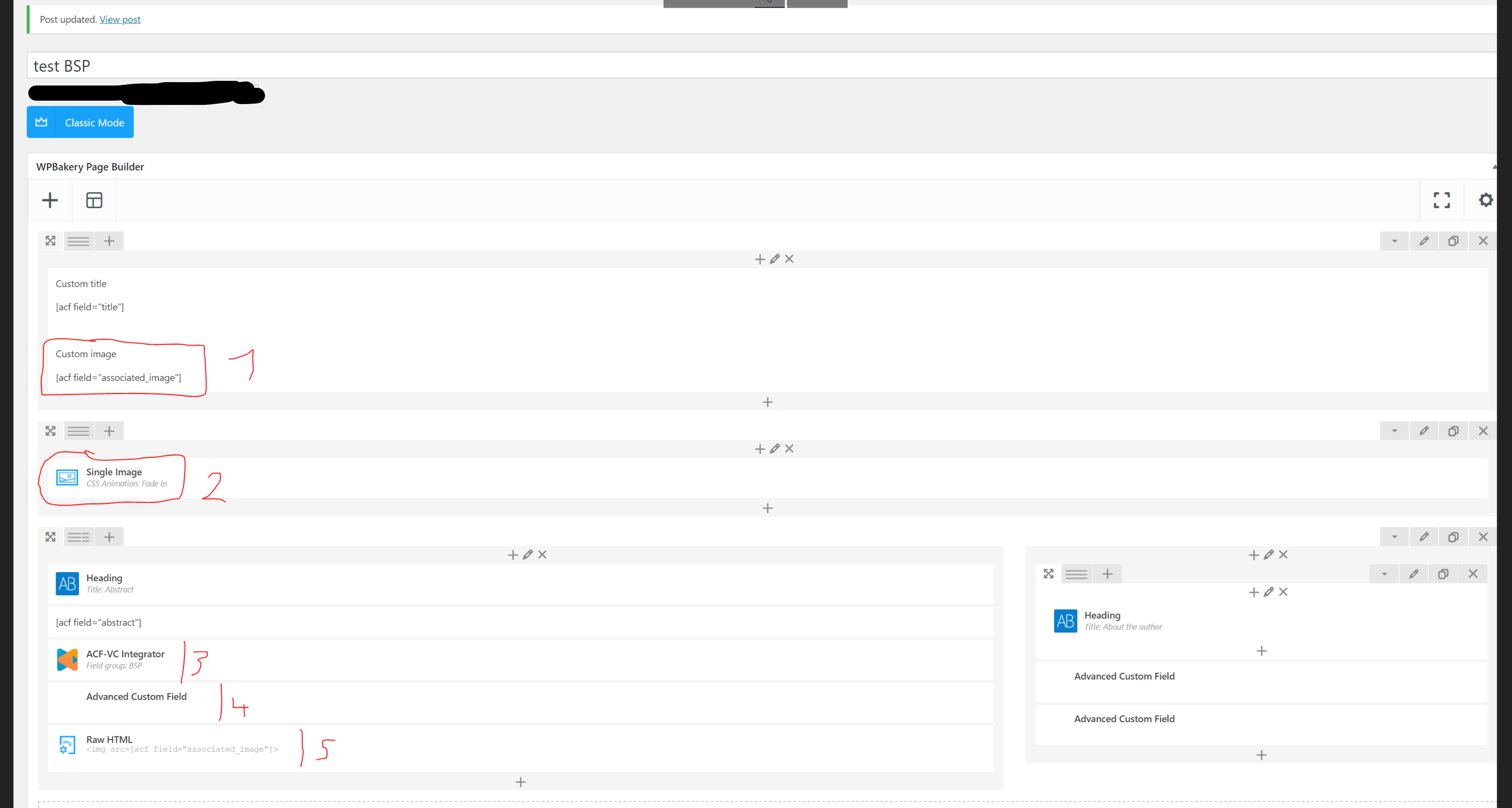
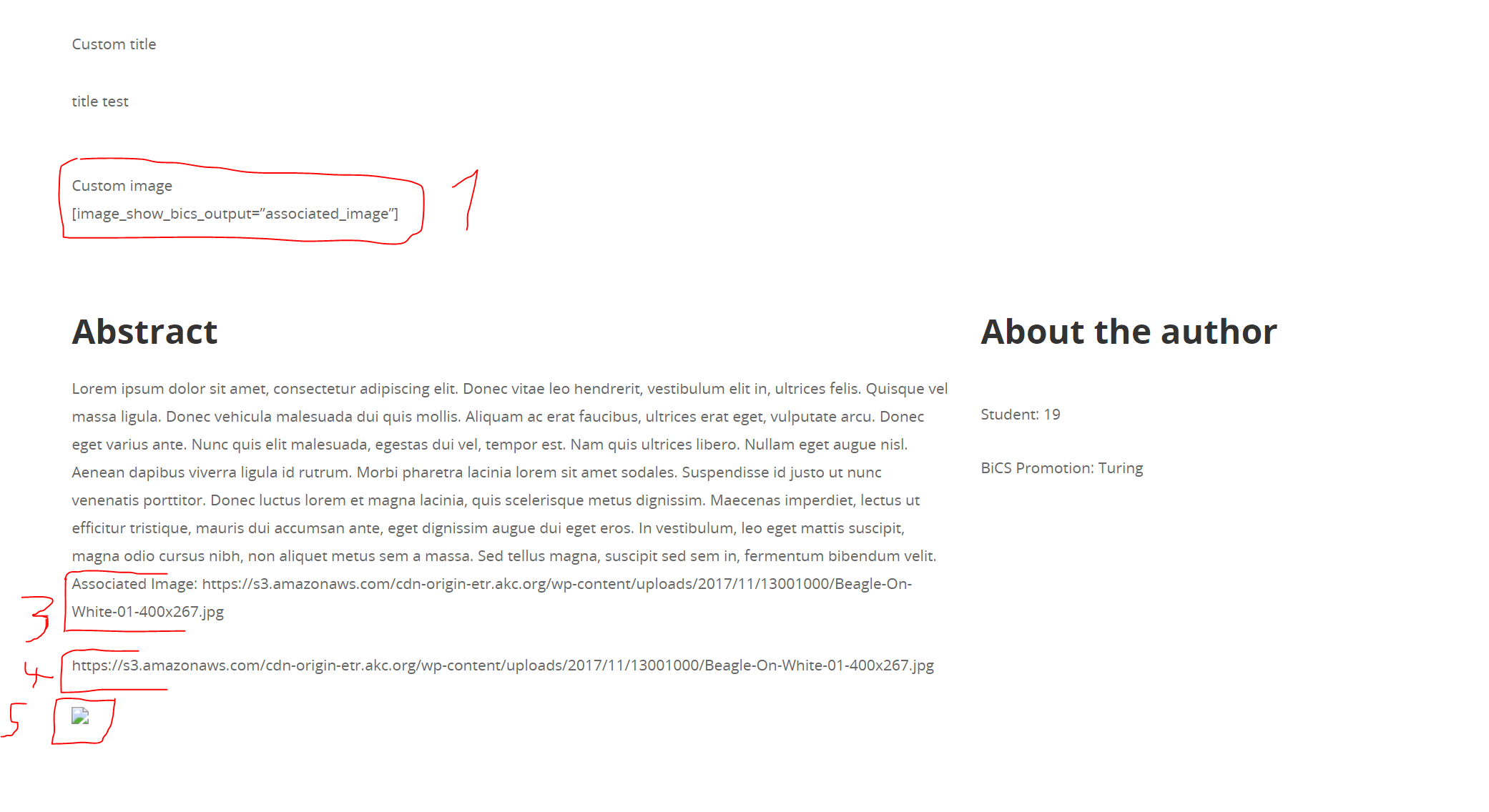
  1. use acf in plain text, but as expected this only displays the link, not the image

  2. using an image building block, but that won't work because there does not seem to be an option to link the image to a custom field

  3. using ACF-VC integrator and linking it to the custom field, this also only displays the image
  4. using an advanced custom field, also does not work.
  5. using raw html, also does not work.

(Screenshot of the 5 methods: and their output when creating the blog post: enter image description here )
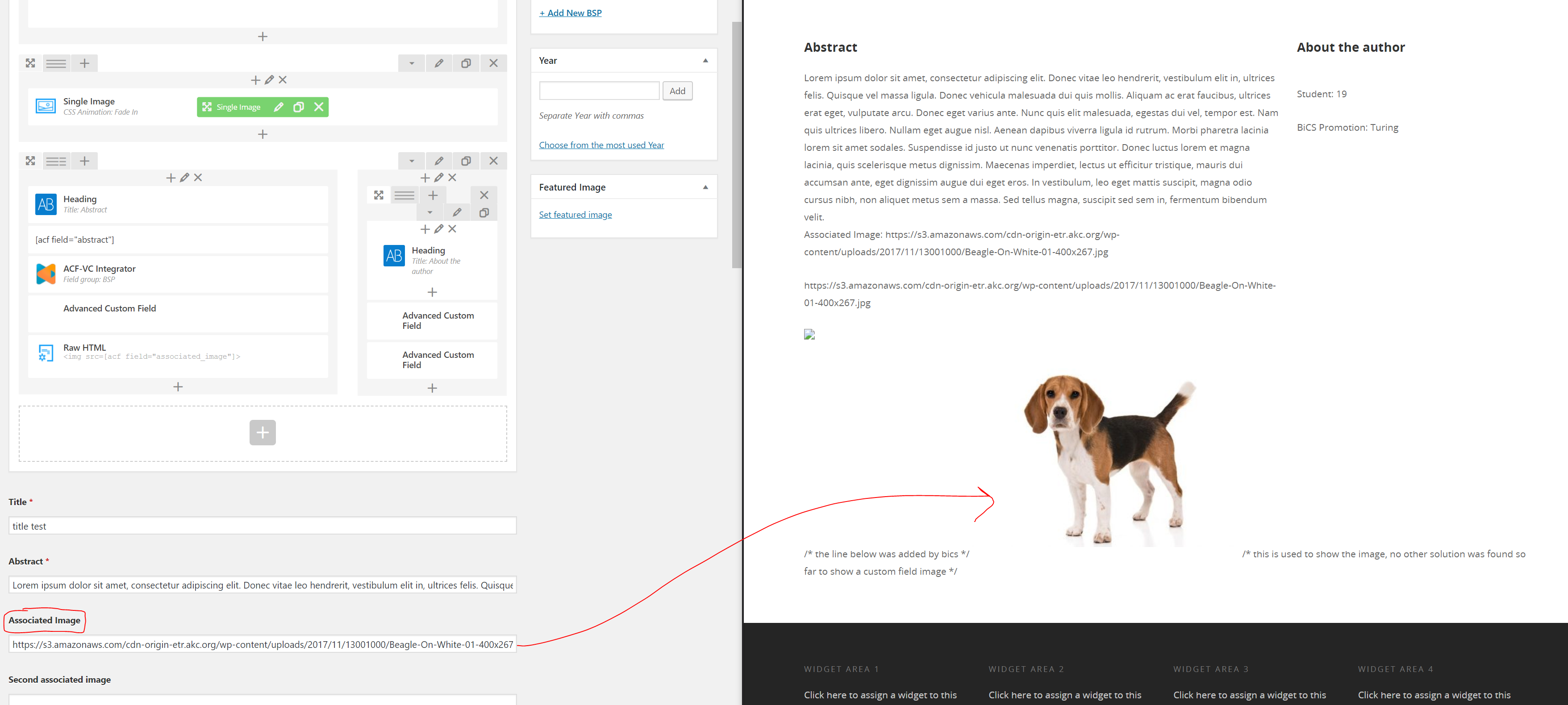
The only working solution I found so far is to insert this line in the single.php file:

<img src="<?php the_field('associated_image'); ?>" alt="" />

When doing that, this is what the blog post shows. As you can see, it is the correct image that is displayed, and it has pulled the image from the link in the custom field.
enter image description here

Some additional information:

  • The custom image field is configured as a text field, as we pull automatically an image link from a file, so I can configure it to an image field, as we do not pull an image

  • One constraint that I have is that I should make use of WPBakery if possible and not work to much with raw php files, as it is very important that the work done should be easily maintainable, especially by people without an understanding of php.

What can I do to solve this problem? One possibility might be to add a function and shortcode in the functions.php file, but I do not manage to do that, as I have no real understanding of php.

I hope the formating of this post is at least acceptable, and if anyone is interedsted in helping I can provide additional details of course

Solutions

You can use the ACF shortcode to echo out the value of your custom field. So you can create a new text block element in Page Builder, then switch to the text tab (above the editing field to the right), and insert the following code

<img src="[acf field='field_name']">

When Page Builder outputs its content, it'll pass through the function 'do_shortcode()', where ACF will work its magic.

Similar questions

Align scroll down arrow to the bottom center of a full-screen div in WPBakery Visual Composer
I have a series of full-screen divs in Visual Composer and I want an arrow at the bottom of each one indicating to users they should scroll for more content. I tried absolute positioning on the divs containing the icon with no luck. All I've done is move the icon a few pixels to th Existing CSS: The icon itself is the Defaults-chevron-down. Do you ...
How can I render Nested elements on Visual Composer (WPBakery) for wordpress?
I'm trying to do some custom elements for Visual Composer plugin (WP-Bakery) for wordpress. I have no problem with simple custom elements, but I'm trying to do some nested elements (a parent containing some child elements). I have no problems creating child elements, and if I create them alome, they are shown on wordpress, but when I try to create ...
How to edit html in WpBakery(Visual Composer) page
firstly I'm sorry for my english level. There is a wordpress page that created with Visual Composer extension. Images in this page is not contain width height value. I want to add width height values to images in the page using html but I can't find html codes in page created with visual composer. Please help me Why do I add to width and height val...
wpbakery does not work and giving me a blank white screen with wpbakery logo
i'm using wpbakery plugin to build web pages. Yesterday i found that i wasn’t able to edit any pages or posts. Page builder is giving me a blank white screen with wpbakery logo on every single page or post I try to edit. If I disable page builder then I can not edit then none of my page builder pages work correctly. What can I do to get page builde...
Visual Composer vs. Advanced Custom Fields
I use Advanced Custom Fields (ACF) for all my webpages. Using ACF I think I can create a super easy and simple backend with all the fields the customer needs. Now a boss asked me why we aren't using Visual Composer (VC) and I cant get a serious answer and couldn't find any on the internet. In my opinion ACF gives me all the flexibility and backend ...
Angular 2, How console the object object or loop through object object
I am pulling the api from http://ecommerce-ux.london/wp-json/wp-api-menus/v2/menus/2 and it seem to have everything setup correctly and now would like to display from the api object.items ( that is the menu children) When I do {{ menus }} I get [object object]. Apparently you can not use *ngFor if it is an object, so I needed to creat a pipe but st...

Also ask

We use cookies to deliver the best possible experience on our website. By continuing to use this site, accepting or closing this box, you consent to our use of cookies. To learn more, visit our privacy policy .