Space around article element in order to color it differently
I've found a WordPress theme that I want to use, but the only problem is that the background color on articles is the same as the background color of the entire page. I want these two colors to be different, the background should be darker, and the article white.
Here is the current situation:

The problem is that I cannot simply set the
background-color
atribute on
article
because there is no spacing around it, and it looks bad. To demonstrate:

Edit: the green here should be away from the text for about half a centimeter:
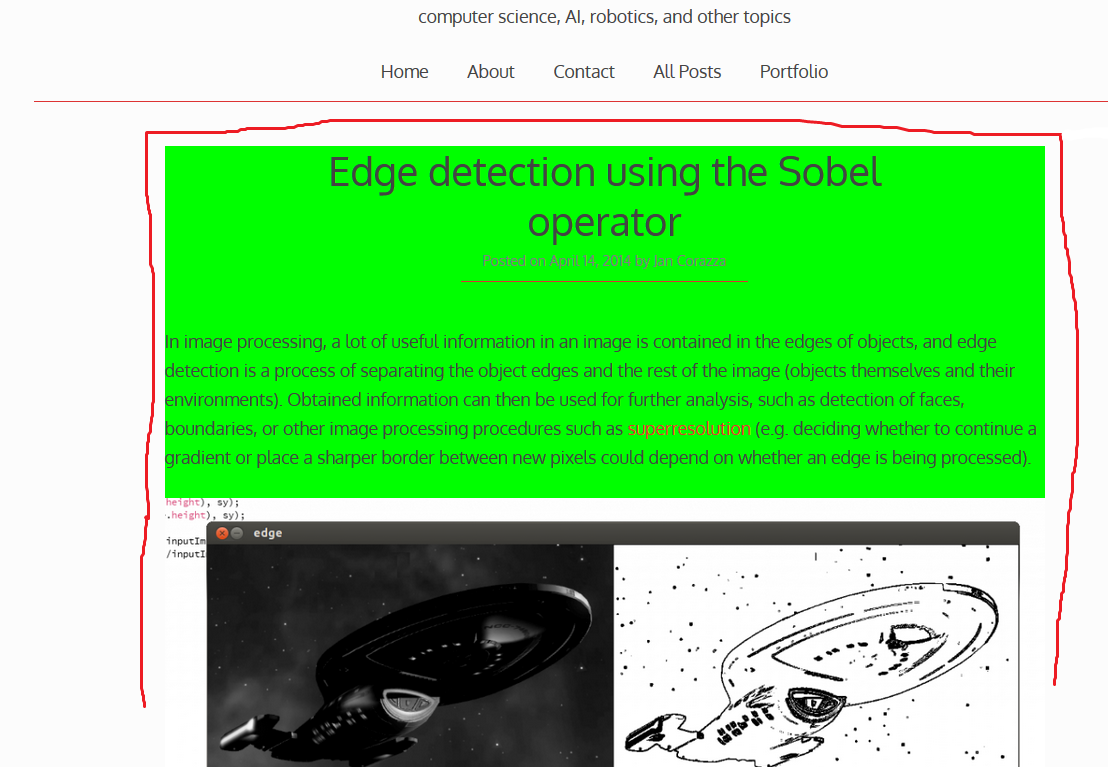
The color is green just so it's easier to notice how close it is to the article content.
What I want to achieve is to create a spacing, between the article title, information, and content - and the background of the website. However, I also fear that this spacing might ruing the mobile experience if it is fixed to a percentage or length , so the real issue is creating it so that it either disappears or is not noticeable on mobile devices.
How can I do that?
If needed, here is the link to my blog: http://jancorazza.com.
Solutions
Padding might be what you need :
.content-area article {
   background-color: green;
   padding: 25px;
}